Jigsaw Puzzle Games for Kids
- 4.4
- Rating
- 100.00K
- Installs
- Free
- Price
 Analysis by App-foxy
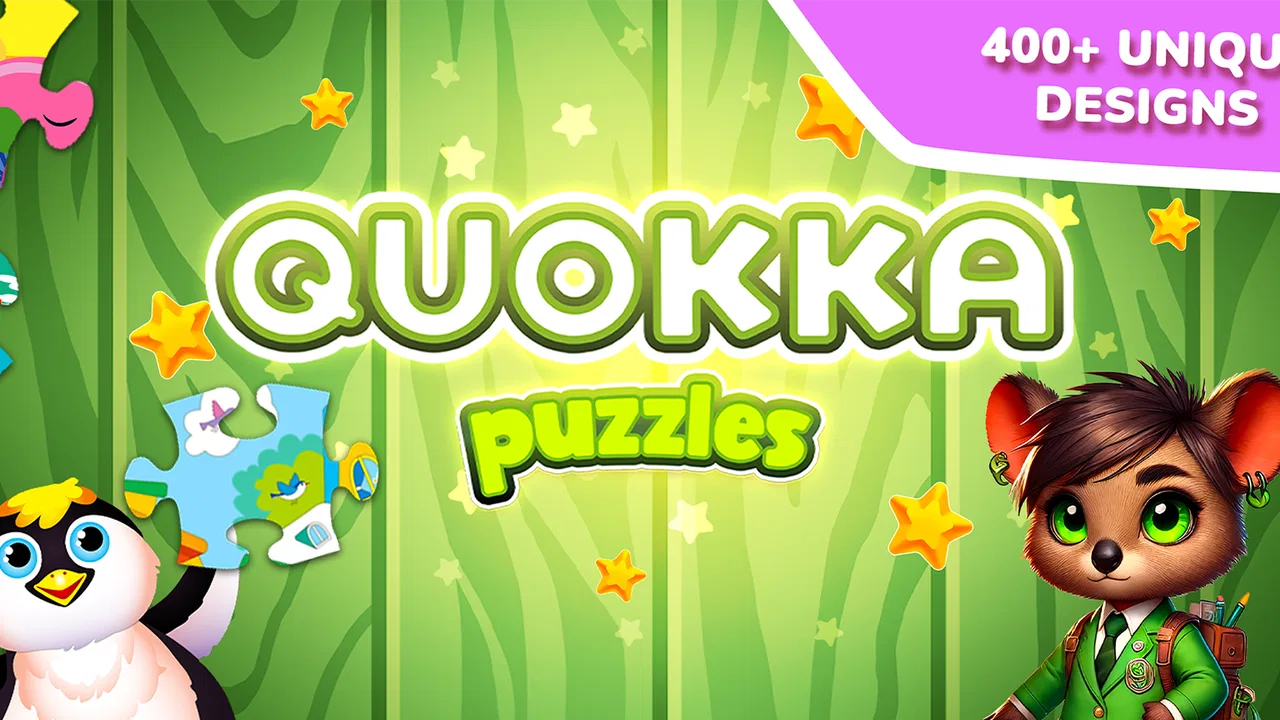
I found Jigsaw Puzzle Games for Kids most useful as a short, hands-on activity rather than a game that tries to hold a child’s attention for a long stretch. The basic idea is immediately clear: a child works with puzzle pieces, looks for a matching picture, and completes a colorful image. That simplicity is its biggest strength. There is very little explanation between opening the game and making the first move, which matters when a young child is still learning how to follow instructions on a touchscreen.
In my experience, this educational game feels best suited to toddlers and younger children who enjoy visual matching, dragging objects, and finishing small tasks. It is free to start, rated for Everyone, and made by QUOKKA Kids Learning Games and Puzzles for Toddler. The app has reached over 100 thousand installs and holds a 4.4 average from around 200 ratings, so it has attracted a modest but noticeable audience without feeling like an enormous, anonymous platform.
What I like here is that the puzzle activity has a natural beginning and end. A child sees an incomplete picture, tries a piece, receives confirmation when the placement works, and gets a finished image to look at. That creates a repeatable rhythm without requiring reading ability. However, parents should approach it as a focused puzzle tool, not as a complete early-learning curriculum. Its value comes from the quality of the small interaction: observe, test, correct, complete, and begin again.
You May Also Like

 Blood Strike: 2.5 Anniversary
Blood Strike’s Loadouts Turn Every Drop Into a Tactical Gamble
A close look at Blood Strike’s custom loadouts: how fast access to signature weapons reshapes its battle royale rhythm, rewards preparation, and narrows the gap between fights.

 Pandora - Music & Podcasts
Pandora’s Music Is Easy to Start, but Harder to Recover
Pandora’s strength is its low-effort path from a seed to a station. Its weak spot is how much confidence it asks you to place in connection, setup, and quiet recovery.

 8 Ball Pool
 Is Built on Rivalries, Rematches, and Routine
A close look at the rivalries, rematches, shared routines, and unanswered safety questions that turn a quick pool match into a persistent mobile community.

 Samsung Music
’s Quiet Strength Is Playing What You Already Own
Its reach comes less from spectacle than from dependable access to a personal library. That simplicity is both the app’s strongest retention engine and its ceiling.

 AccuWeather: Weather Radar
AccuWeather Review: A Quick, Clear Forecast for Everyday Decisions
For everyday plans, the best forecast is the one you can understand quickly. AccuWeather makes rain timing, radar, and local conditions easy to act on, with a few trade-offs.

 Hill Climb Racing
Why Hill Climb Racing Still Turns Crashes Into One More Run
A tiny car, a bumpy hill and one more upgrade: Hill Climb Racing keeps resurfacing because its simple chaos makes every near-miss feel personal.
More From Our News Desk
View All News


How the first puzzle move teaches more than it seems
The first action is usually the most important moment in a toddler game. If the child cannot understand what to touch or drag, adult help becomes necessary before learning can begin. This title keeps the central task recognizable. The child is not asked to navigate a complicated map or manage several menus before reaching the puzzle. The visual target does most of the explaining.
That makes it a practical choice for a child who is beginning to understand that objects on a screen can be moved into meaningful places. A parent can sit beside the child and say, “Look at the shape,” or “Which part of the picture is missing?” Those prompts turn a simple placement into an opportunity to practice visual attention, color recognition, and basic problem solving without making the activity feel like a lesson.
I would not expect every child to grasp the drag-and-place motion instantly. Toddlers vary widely in fine-motor control, and a child may tap repeatedly when the activity expects a longer movement. That is not necessarily a flaw in the game, but it does mean the first session may work better with an adult demonstrating one move slowly. Once the child understands the gesture, the interaction becomes more independent.
The picture-based design is especially helpful for children who are not yet confident readers. There is no need to decode written directions to understand the broad goal. This is one reason I would choose it over a word-heavy educational app for a preschooler who is still developing language skills. The puzzle gives the child something concrete to inspect, rather than asking for an abstract answer.
It also gives parents a useful way to judge readiness. If a child can identify where a piece belongs but struggles to move it accurately, the challenge is probably motor control. If the child moves pieces randomly without checking the picture, the bigger opportunity is visual observation. I found that distinction more useful than simply asking whether the child “won.” The game can reveal how the child approaches a problem.
The feedback rhythm keeps the task understandable
A good toddler puzzle needs feedback that arrives at the right time. Too little feedback leaves the child unsure whether anything happened; too much turns every action into noise. Here, the central rhythm is easy to follow: attempt a placement, see whether it fits, and adjust if necessary. That immediate relationship between action and result is what makes the activity approachable.
For a young player, an incorrect move can be useful when it feels like a gentle invitation to try again rather than a harsh failure. I prefer this kind of correction to a system that removes progress or makes the child restart after every mistake. A puzzle should encourage looking again. The child learns that an unsuccessful attempt is information: the piece may belong elsewhere, or the picture needs closer attention.
Parents can improve the learning value by resisting the urge to solve everything. When a child places a piece incorrectly, I would first ask what part of the image they are looking at. A question such as “Does that color continue here?” encourages comparison. Physically taking over may finish the board faster, but it removes the most valuable part of the loop: the child noticing why one option works and another does not.
This is also where the game differs from passive video content. A cartoon can hold attention, but the child mostly receives information. A puzzle requires a response. The screen reacts to the child’s decision, so the child has a reason to keep observing. That does not make it automatically better than every alternative, but it gives the activity a more active learning profile than simply watching animated material.
There is a trade-off, though. Children who want fast movement, sound-heavy rewards, or a story may find the puzzle pace quiet. The app’s appeal depends on whether the child enjoys matching and completion. If your child becomes frustrated by repeated visual checking, an open-ended drawing app may be a better fit. If the child likes putting things in order, this slower rhythm is likely to feel satisfying.
Completion is the reward, not just the ending
The reward in a jigsaw activity begins before the image is complete. Each correct piece makes the picture more recognizable, which gives the child a visible reason to continue. The finished image then provides a clear sense of achievement. That is a strong design choice for young children because the reward is connected directly to the task rather than being unrelated decoration.
I noticed that this kind of reward works best when an adult acknowledges the child’s process, not only the final result. Saying “You checked the corner before moving it” reinforces a useful habit. The child learns that careful looking is part of success. If the adult only celebrates speed, the child may rush through the next puzzle and rely on random placement.
The completed picture can also become a conversation starter. Ask the child to name what they see, describe a color, point to a familiar object, or invent a short sentence about the image. In that way, the puzzle can support language practice without pretending to replace a dedicated vocabulary app. The visual result gives the conversation a shared subject, which is often easier for a toddler than a question with no context.
Another useful approach is to let the child choose when to stop after finishing a puzzle. Completion provides a natural stopping point, so the parent does not have to interrupt in the middle of an unfinished task. That matters during breakfast preparation, a short waiting period, or the final quiet part of the day. I would use it as a contained activity with a clear finish rather than leaving it open as background entertainment.
The free price makes trying it straightforward, but families should still pay attention to the purchase structure. The game includes in-app purchases ranging from $0.99 to $29.99 per item. I would check the device’s purchase controls before handing it to a child, especially if the child plays without an adult holding the phone. The app itself can be a low-commitment download, while optional spending deserves the same caution as in any children’s game.
Why a reset can lead to another session
After a puzzle is complete, the important question is whether the child has a reason to begin again. In this type of game, the reset is not merely a return to the start. It is a chance to repeat the same thinking with a new visual arrangement or image. Repetition is valuable for toddlers because the first attempt often teaches the gesture, while later attempts allow more attention to shape, position, and detail.
I recommend treating the next session as a small experiment. On the first round, let the child explore. On the next, ask them to find a piece with a particular color. On another, encourage them to start with an edge or a visually obvious section. This changes the adult’s prompt without changing the basic game, so the child can practice a different strategy while remaining in a familiar environment.
A realistic use case is a ten-minute waiting period before an appointment. I would open a puzzle, let the child complete it, and then decide whether another round still feels calm. If the child begins tapping without looking, asking for the same piece repeatedly, or showing irritation, that is a good reset point for the whole activity. Starting another board is optional; the game should not become a test of endurance.
For travel, the appeal is similar. A short puzzle can occupy a child’s hands while an adult remains available to help. I would not rely on it as the only travel activity, because repeated puzzles may lose their novelty and a young child still needs movement and conversation. But it can fill a quiet gap more constructively than handing over an endless stream of videos.
The reset also exposes one of the app’s limitations. A child who needs a strong progression system, increasingly complex challenges, or a broader range of activities may outgrow this experience quickly. The same simple loop that makes it accessible can make it feel repetitive to an older child. That is not a problem if the goal is early practice with matching and completion; it is a reason to choose a more advanced puzzle platform when the child wants deeper challenge.
Where it fits beside ordinary alternatives
Compared with a physical jigsaw puzzle, the app is cleaner and easier to start. Pieces cannot be lost under furniture, and a parent can offer the activity in a small space. The screen also provides immediate visual feedback, which can help a child understand the connection between placement and completion. On the other hand, a physical puzzle develops hands-on spatial awareness in a way a touchscreen cannot fully reproduce. I would use the digital version as a companion, not a replacement for real objects.
Compared with coloring apps, this game offers a more defined goal. Coloring allows freedom and self-expression, while a jigsaw asks the child to compare, position, and complete. A child who enjoys making choices without being told where something belongs may prefer coloring. A child who likes seeing a picture come together piece by piece may respond better here.
Compared with alphabet or number games, the learning focus is less explicit. There is no reason to choose this app when your immediate goal is letter recognition, counting practice, or phonics. Its strengths are visual matching, attention, hand control, and the satisfaction of finishing a structured task. That narrower purpose is useful, as long as parents select it for the right reason.
It also differs from large preschool suites that combine stories, songs, drawing, memory games, and early academics. Those collections may offer more variety and longer-term progression. This title is easier to understand because it concentrates on puzzles, but that concentration can feel limited for families looking for one app to cover many learning areas. I would choose the focused option for a short puzzle routine and a broader suite for a more varied daily learning schedule.
Device expectations and practical setup
The game supports devices running Android 6.0 or later, and the current version is 1.3.1. That makes it accessible on many older Android devices, which is helpful if a family keeps an older phone or tablet for supervised child use. Still, a larger screen is more comfortable for small fingers than a compact phone. The puzzle pieces are easier to inspect when the child does not have to work around a crowded display.
Before a child plays alone, I would open the game myself and check the complete path from launch to puzzle and back again. This is not because the central activity is difficult, but because young children can press unexpected controls quickly. I would also set a clear routine: play while seated, use clean hands, and stop after a chosen number of completed pictures or when attention drops.
Supervision is particularly valuable during the first few sessions. An adult can show the correct gesture, prevent accidental purchases, and turn mistakes into questions instead of frustration. Once the child understands the interaction and the family is comfortable with the device setup, the game can become a more independent quiet-time option. I would still keep the device within normal household boundaries rather than treating the app as an electronic babysitter.
The Everyone rating makes it broadly appropriate from a content perspective, but age suitability is not the same as individual readiness. Some toddlers will enjoy the visual task immediately; others may need simpler physical puzzles first. Watch how the child responds to the screen, not just the label. If the child struggles to control the pieces, a large wooden puzzle may build confidence before returning to the digital version.
My verdict on the complete action-feedback-reward loop
I see Jigsaw Puzzle Games for Kids as a focused educational game with a clear loop: choose a piece, test its place, receive visual confirmation, complete the image, and decide whether another short round makes sense. The loop works because every stage supports the next one. The action is understandable, the feedback is immediate, the reward is visible, and the reset is simple enough for a toddler to accept.
The developer, QUOKKA Kids Learning Games and Puzzles for Toddler, has kept the experience centered on the puzzle rather than burying it under a complicated structure. That focus is exactly why I would recommend it to a parent looking for a calm matching activity for a young child. I would not recommend it as the only educational app, nor for children who need advanced puzzles, extensive storytelling, or a wide academic curriculum.
My practical recommendation is to use it in short, supervised bursts and to make the conversation around the puzzle part of the experience. Ask the child what they notice, let them correct their own choices, and stop at a natural completion point. Used that way, the game offers more than a few minutes of tapping: it gives a young player a manageable problem, a visible result, and a reason to try again without making every session feel like formal study.
FAQs for Jigsaw Puzzle Games for Kids
01What is Jigsaw Puzzle Games for Kids?
Jigsaw Puzzle Games for Kids is a colorful puzzle app designed to introduce children to classic jigsaw gameplay in a simple and entertaining way. It typically includes themed pictures, adjustable puzzle sizes, and an easy-to-use interface. Children can drag pieces into place, complete images, and enjoy short activities that encourage concentration, visual recognition, and basic problem-solving skills.
02Is Jigsaw Puzzle Games for Kids suitable for my child’s age?
The app is generally aimed at preschool and early-school-age children, although the ideal age depends on the child’s previous experience with puzzles. Easier boards with fewer pieces are suitable for beginners, while larger puzzles can challenge older children. Parents should review the recommended age shown on the app store and choose difficulty levels that match their child’s abilities.
03Does the game work without an internet connection?
Many of the basic puzzles can usually be played offline after the application has been installed, which makes it convenient for travel or areas with limited connectivity. However, some features, advertisements, updates, bonus content, or additional puzzle packs may require internet access. It is worth opening the app once while connected and checking which content remains available offline.
04Are there advertisements or in-app purchases?
Depending on the version and the device platform, Jigsaw Puzzle Games for Kids may include advertisements, optional purchases, or locked puzzle collections. Parents should check the store listing carefully before downloading, especially if the app will be used by a young child. To avoid accidental purchases, use parental controls and require authentication for every transaction through the device settings.
05Is Jigsaw Puzzle Games for Kids safe and easy for children to use?
The game is designed with simple controls, bright visuals, and straightforward puzzle mechanics, so most children can begin playing with little assistance. Nevertheless, parents should supervise the first sessions and review privacy, advertising, and permission information before installation. If the app offers external links, purchases, or online features, parental controls can help provide a safer and more focused play experience.
Pros
- Simple controls make it easy for young children to play independently.
- Bright illustrations keep puzzle sessions engaging and visually appealing.
- Multiple difficulty levels support gradual improvement and confidence.
- Helpful hints can reduce frustration when a piece is difficult to place.
- Offline play makes it suitable for travel or areas without internet.
Cons
- Some puzzles may feel repetitive after extended play sessions.
- Hints or extra content may be limited behind in-app purchases.
- Small pieces could be challenging for children with weaker fine motor skills.
- Ads may interrupt play unless removed through a paid option.
- The game may offer limited customization for creating personal puzzles.

Jigsaw Puzzle Games for Kids
Gallery